AXIA Lab / Guide series
Your scroll is the timeline.
Create a cinematic, scroll-driven website where the movement of the page determines the frame shown in the video.
- 92 pages
- 10 steps + setup
- 8 scenes
- 1 live website

A film that responds to your scroll
Scroll down and the scene advances. Scroll up and it reverses. Stop and the image freezes on the exact frame. The guide connects AI images, AI videos and Claude Code to build a single-page agency website.
AI creates the art. Code creates the website.
Approve the still image first, then animate that reference. Text, headings, navigation and buttons are real website elements, separate from the generated visuals.
Eight scenes, one continuous experience
- 01Hero: woman and clouds of paint
- 02Story: newspaper dress and horizontal scroll
- 03Build: orange cloud and looping video
- 04Experiences: digital organism
- 05Gaze: the eye and the blink
- 06Creator: portrait revealed through a grid
- 09Capabilities: a typographic universe
- 10Contact: portrait with blue petals
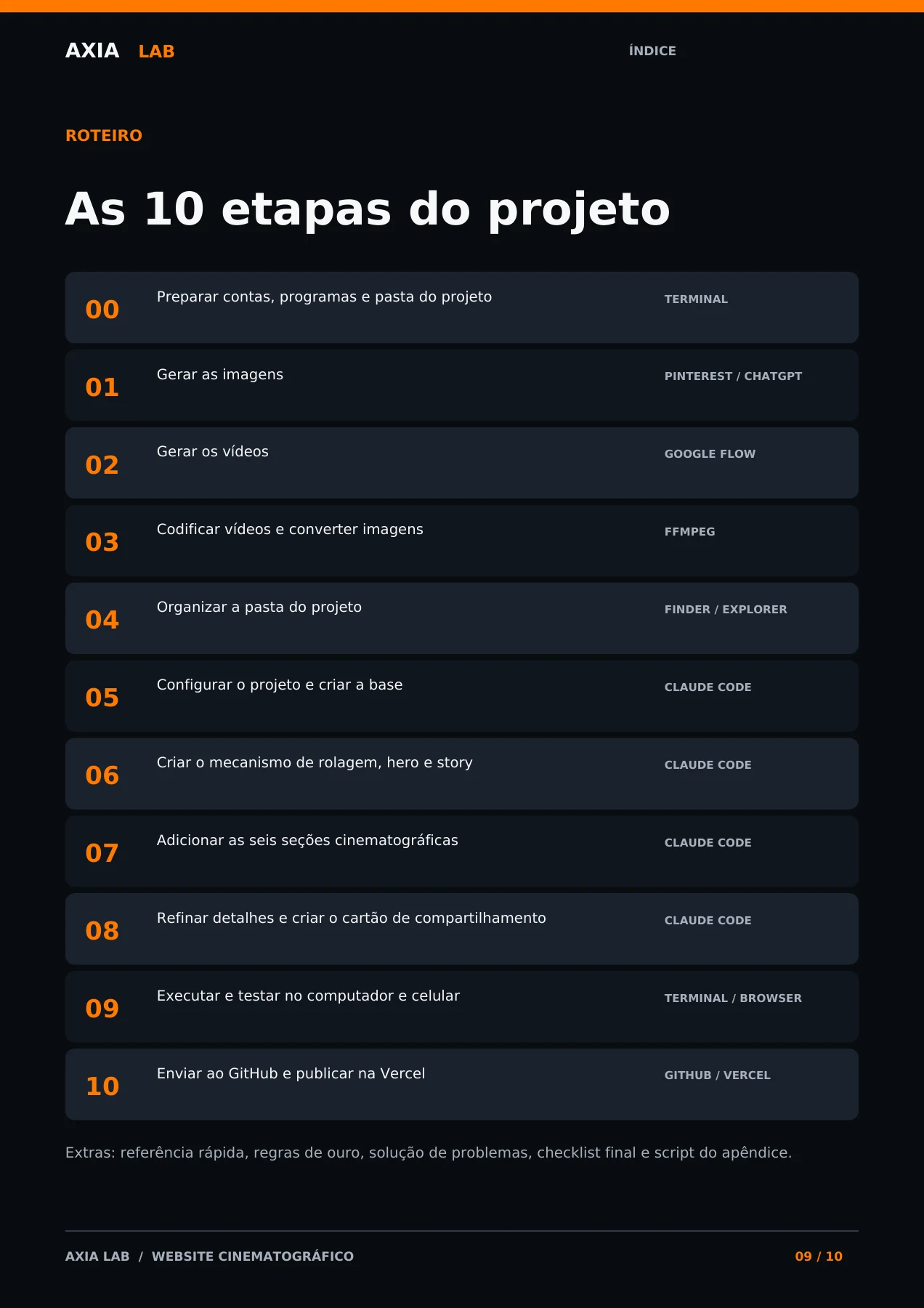
Project roadmap
From initial setup to publishing. The numbers below refer to the pages in this PDF.
- 00Prepare accounts, software and the project folderTerminalp. 11
- 01Generate the imagesChatGPT / referencesp. 15
- 02Generate the videosGoogle Flowp. 34
- 03Encode videos and convert imagesFFmpegp. 45
- 04Organize the project folderFinder / Explorerp. 50
- 05Configure the project and build the foundationClaude Codep. 53
- 06Build the scrolling engine, hero and storyClaude Codep. 58
- 07Add the six cinematic sectionsClaude Codep. 61
- 08Polish details and create the sharing cardClaude Codep. 67
- 09Run and test on desktop and mobileTerminal / browserp. 71
- 10Push to GitHub and publish on VercelGitHub / Vercelp. 72
Also includes quick references, golden rules, troubleshooting, a final checklist, encoding script, glossary and reference images.
Pages from the guide
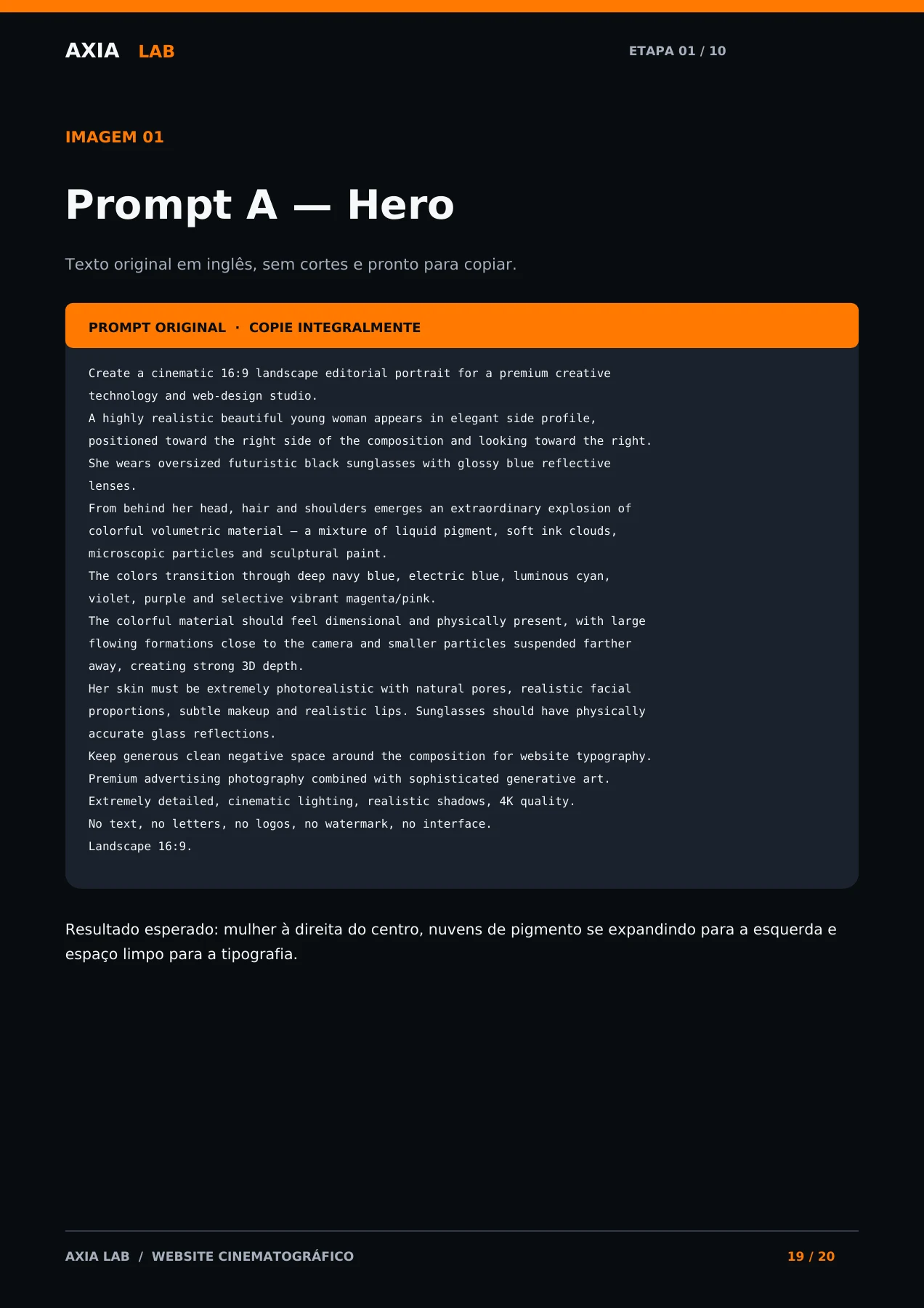
PDF samples: roadmap, prompts, transitions, encoding and testing.
Tools for the process
The guide estimates about two days of work, mainly on visuals. Time and costs depend on the tools and number of generations.
- References
- Pinterest or an image search engine
- Images
- ChatGPT; alternatives: Nano Banana, Midjourney and Flux
- Videos
- Google Flow; alternatives: Kling, Seedance, Runway and Higgsfield
- Encoding
- FFmpeg
- Development
- Claude Code; alternatives: Cursor, Codex and Antigravity
- Publishing
- GitHub and Vercel; alternatives: GitLab and Netlify
The result, live
Open the website built in this guide (Milla) in the library, see it working and, if you like, download the source code.
Before you begin
Do I need to write code manually?
The guide uses Claude Code to develop the website. You produce visual assets, personalize the copy and run the supplied prompts and commands.
What language is the material in?
Instructions are in Portuguese. Original image, video and coding prompts are preserved in English for copying.
Are all the tools free?
Some tools are free, while others have free or paid plans. Claude Code is presented with a paid plan. Check current generation limits before starting.
Does it teach 3D and shaders?
The focus is a cinematic website with images, scroll-synchronized videos, transitions and typography. It is not a course in 3D modeling or shader programming.
What is included?
A 92-page PDF with setup, ten steps, prompts, commands, an FFmpeg script, technical checks, a glossary and visual references.
From the first image to a published website
A complete process to create your own cinematic experience, test on desktop and mobile and publish on Vercel.
One-time payment · instant PDF access
You sign in or create an account before paying; the PDF stays available there.